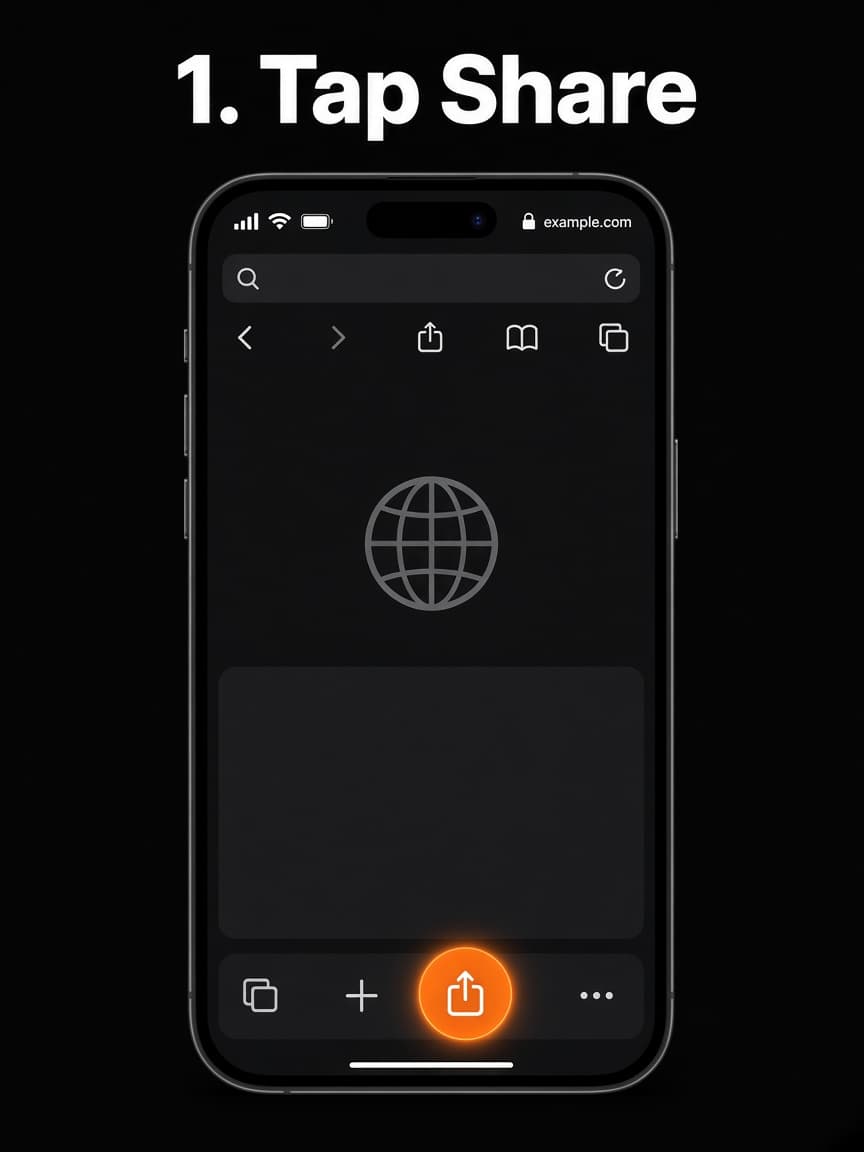
Step 1
Open Safari and tap Share
On iPhone or iPad, open XactScore in Safari (not Chrome). Tap the Share button — a square with an arrow pointing up — in the bottom toolbar.
Add XactScore to your phone in about a minute. It is a Progressive Web App — the same site you already use, opening like an app.
XactScore is not listed on the App Store or Google Play. The buttons use those familiar logos so you can pick iPhone or Android and follow the matching steps.
Works in Safari on iOS 16.4 and later.
Step 1
On iPhone or iPad, open XactScore in Safari (not Chrome). Tap the Share button — a square with an arrow pointing up — in the bottom toolbar.
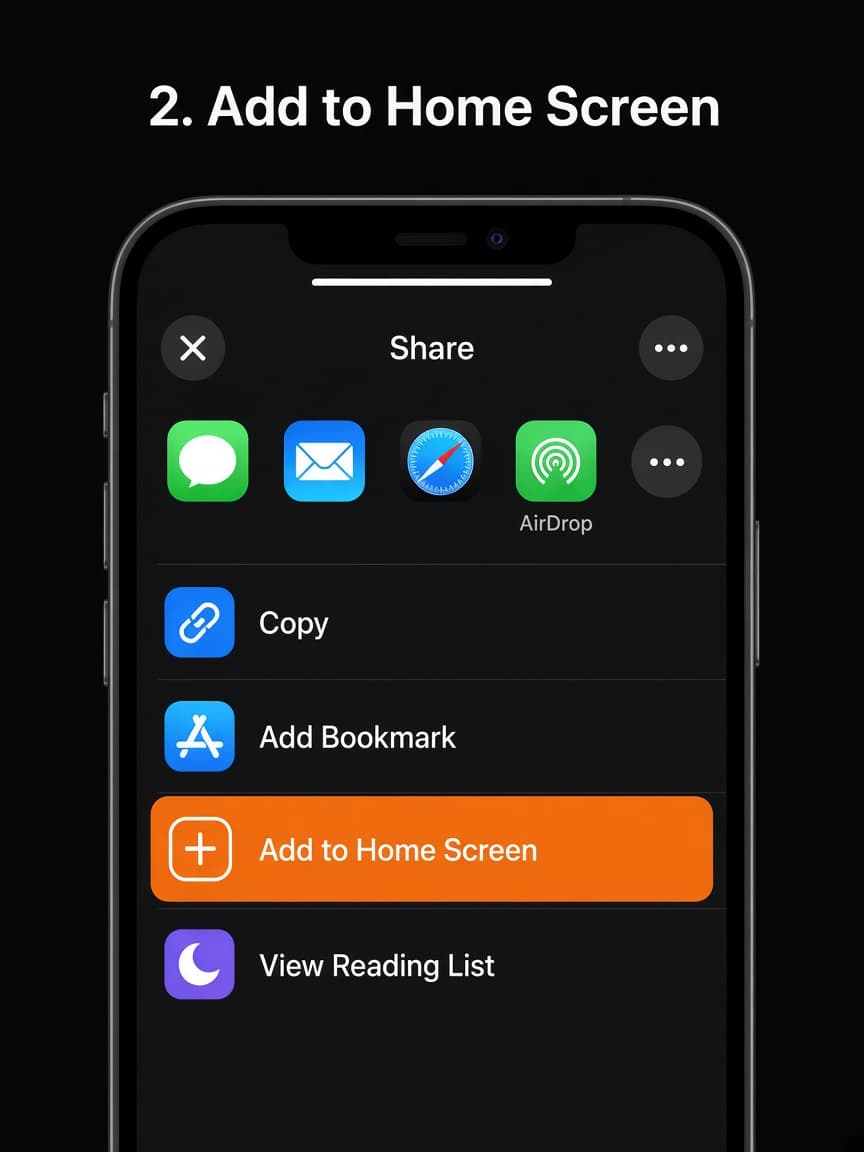
Step 2
Scroll the share sheet if needed, then tap Add to Home Screen. On the next screen, keep the name XactScore and tap Add in the top right.
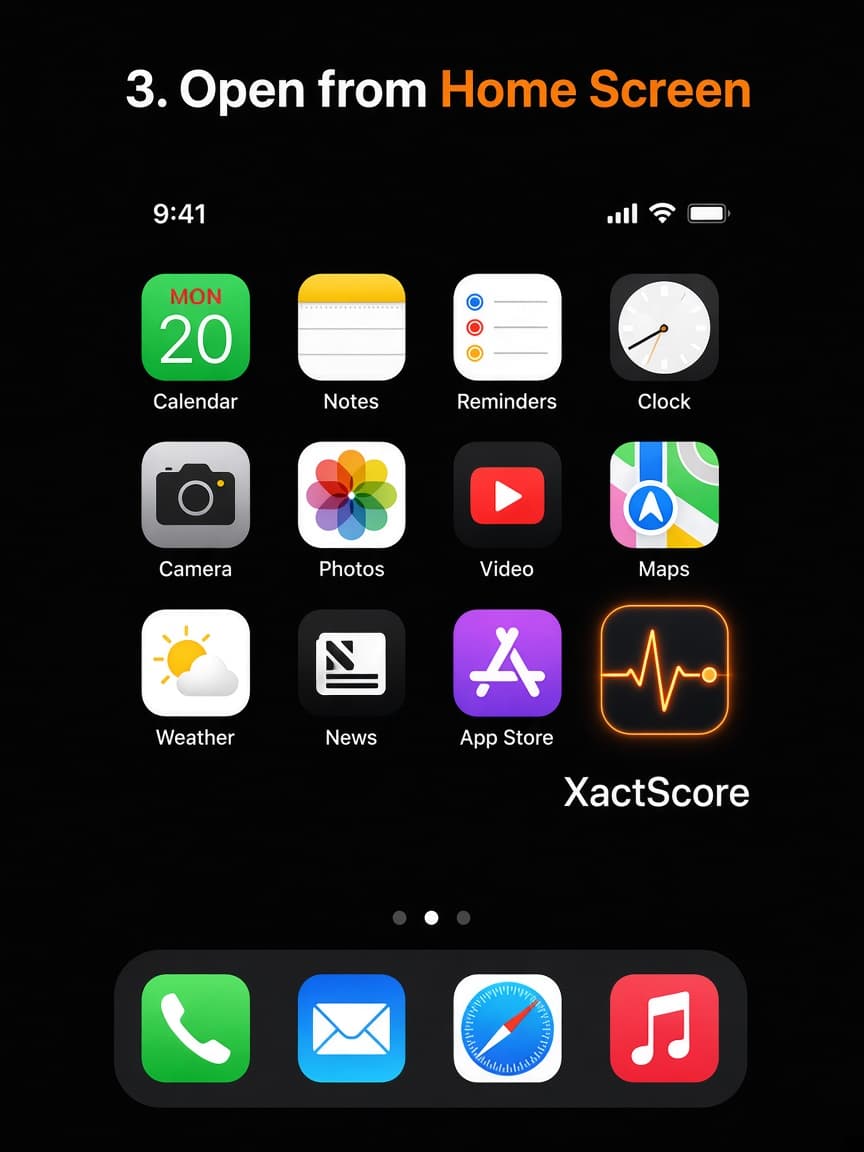
Step 3
Find the XactScore icon on your Home Screen. Open it and it runs full screen, without the Safari address bar.
Works in Chrome. Samsung Internet can install from its menu as well.
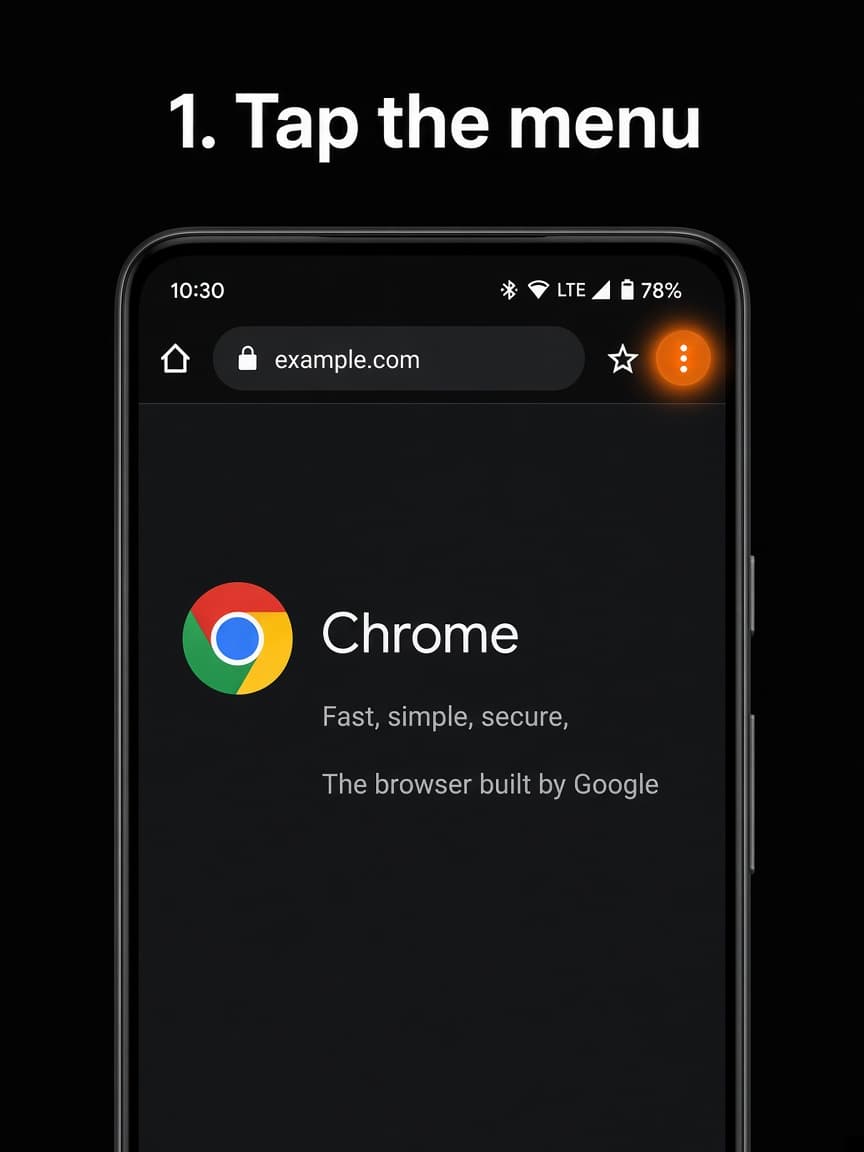
Step 1
On Android, open XactScore in Chrome. Tap the three-dot menu in the top-right corner of the browser.
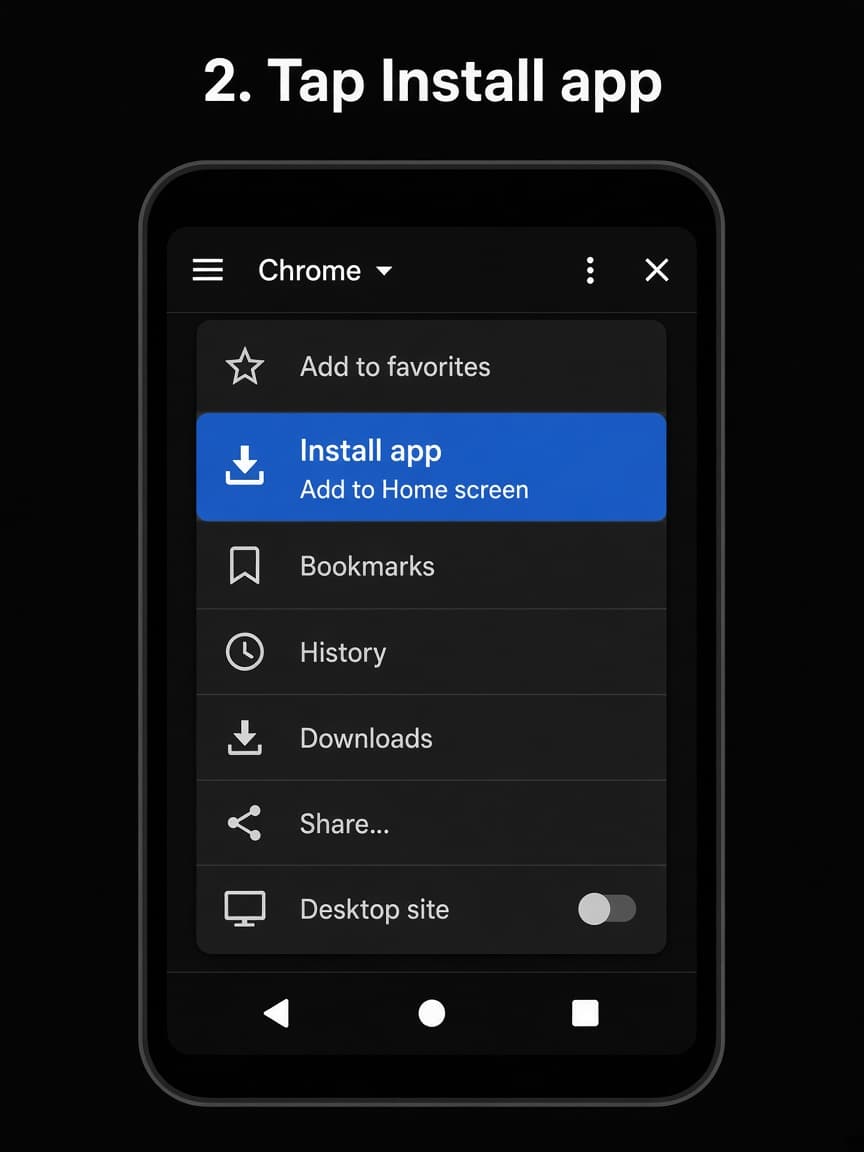
Step 2
Choose Install app or Add to Home screen. If Chrome shows an Install banner, you can use that instead. Confirm Install when asked.
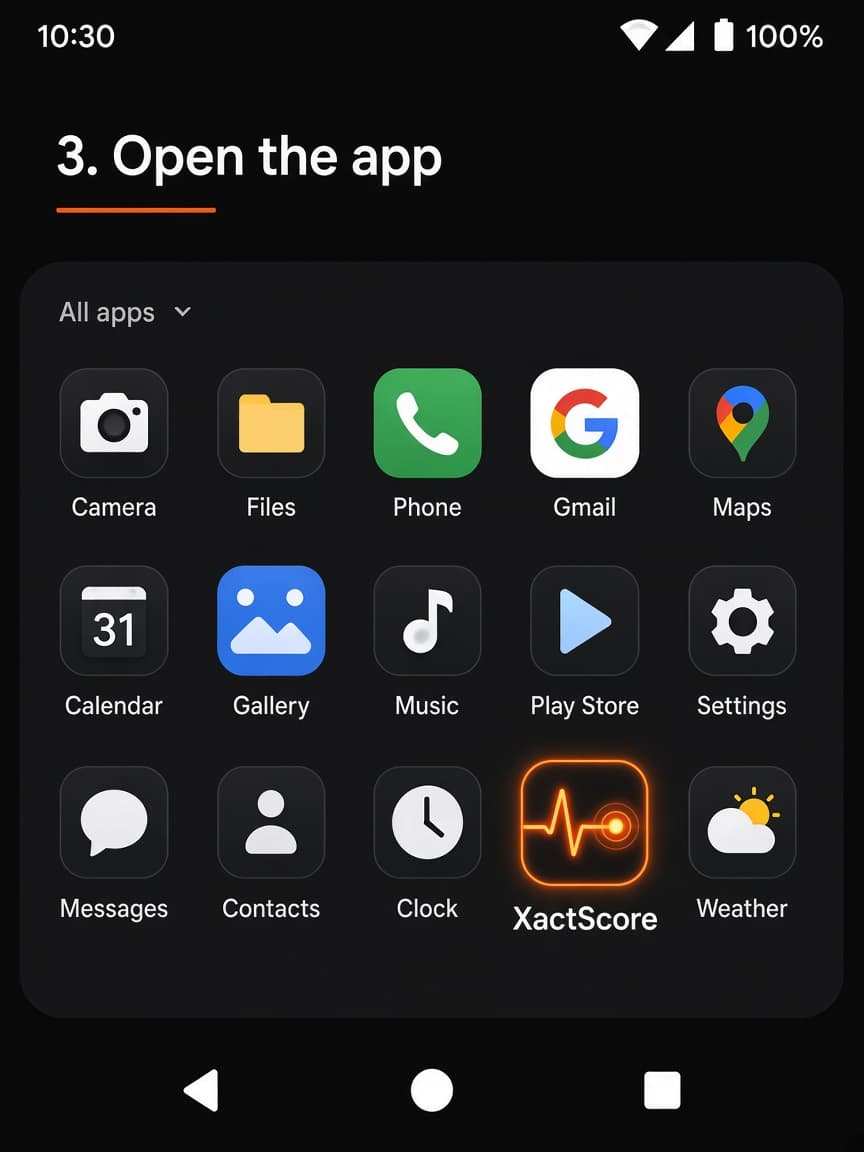
Step 3
The icon appears on your Home Screen and in the app drawer. Open it and XactScore runs like a normal Android app — still the same live site, not a Play Store listing.